

Digital wallets (Apple Pay, Google Pay): Security and best practices
Learn how to protect your money and data when using digital wallets in Canada, and discover the best practices for safe everyday transactions
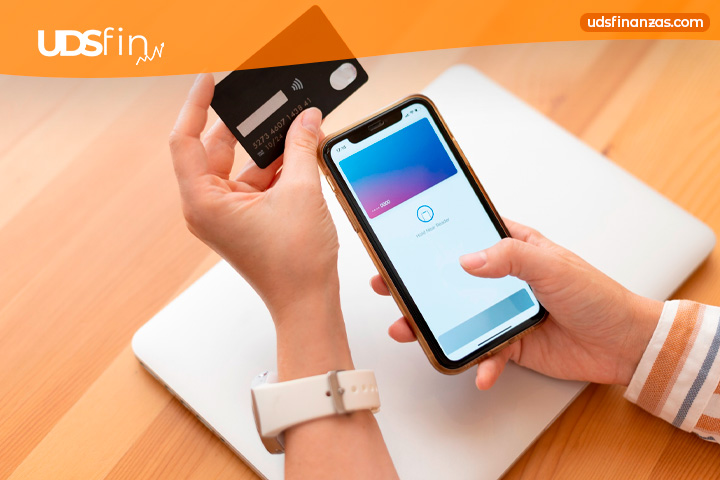
Imagine this: you’re in line at your local coffee shop, reach for your wallet—and realize you forgot it at home. No worries. You pull out your phone, double tap the side button, and tap. Done. Latte paid. No fumbling with cards, no PINs, no contact.
Welcome to the world of digital wallets.
More and more Canadians are ditching plastic cards for smartphone payments. And it’s easy to see why—apps like Apple Pay and Google Pay make everyday purchases faster, easier, and surprisingly secure. Whether you’re tapping in at the subway, grabbing lunch downtown, or shopping online, mobile wallets are becoming a go-to payment method.
But with all this convenience, one big question still lingers:
“Is it actually safe to use a digital wallet?”
That’s exactly what we’re going to unpack in this article.
We’ll explore how digital wallets work, the security measures behind them, real examples of fraud protection, and simple tips you can follow to stay safe. Whether you’re already using Apple Pay or just curious about Google Pay, this guide will help you make informed decisions with confidence.
What exactly is a digital wallet?
Let’s start with the basics.
A digital wallet is an app on your smartphone or smartwatch that securely stores your payment information—like your credit card, debit card, transit pass, or even loyalty cards. It replaces the need to carry a physical wallet and lets you pay with a quick tap of your device.
In Canada, the two most popular digital wallets are:
- Apple Pay – Available on iPhones, Apple Watches, iPads, and Macs.
- Google Pay – Designed for Android phones, tablets, and Wear OS smartwatches.
These apps are widely accepted by Canadian banks and retailers, and support major card issuers like RBC, TD, BMO, Scotiabank, and CIBC.
How Apple Pay and Google Pay work behind the scenes
You might wonder how tapping your phone can be more secure than swiping a card. The answer? Tokenization and biometrics.
Here’s a quick breakdown:
- When you add a card to your wallet, your device doesn’t store your actual card number.
- Instead, it creates a unique token (a virtual card number).
- That token is encrypted and stored securely on your phone.
- Every time you make a purchase, your phone sends the token—not your real info—to the merchant.
In other words, your real card details are never shared. That’s a big win for your privacy and protection.
Why digital wallets are actually safer than physical cards
Yes, really.
Here’s why digital wallets offer strong security—often better than your regular credit or debit card:
🔐 1. Biometric authentication
You need Face ID, fingerprint, or your passcode to complete a payment. If someone steals your phone, they can’t buy anything unless they unlock it.
📲 2. Device-specific card tokens
Each card you add to your wallet is paired with a device-specific token. So even if someone hacks that token, it’s useless on another device.
🛑 3. Your card number stays hidden
Your actual card info never appears on your phone, is never stored by Apple or Google, and never gets passed to the merchant.
🕵️ 4. Instant transaction alerts
You get a notification every time your wallet is used. That means you’ll spot suspicious activity right away—unlike a regular credit card statement.
Real case: How a digital wallet stopped fraud in Toronto
Let’s talk about Julia, a freelance graphic designer from Toronto.
Earlier this year, she noticed strange charges on her credit card after making an online purchase. Her bank cancelled the card, but it took over a week to send a new one—and she was stuck without a backup.
After that experience, she switched to Apple Pay. Now, even if her physical card is compromised again, her mobile wallet stays protected. Why? Because it doesn’t use her real card number and requires Face ID to unlock.
She even gets a notification every time she makes a payment—so she’s always in the loop.
Lesson learned: Digital wallets don’t just make life easier—they give you more control over your financial security.
How to set up Apple Pay and Google Pay in Canada (step-by-step)
🍏 Apple Pay setup
- Open the Wallet app on your iPhone.
- Tap the + button in the top-right corner.
- Scan your card or enter it manually.
- Follow your bank’s quick verification process.
- You’re ready to tap and pay!
🤖 Google Pay setup
- Download the Google Wallet app (if it’s not already installed).
- Tap “Add to Wallet” → “Payment card”.
- Use your camera to scan your card or enter the numbers manually.
- Complete verification with your bank.
- Done! You can now tap your Android phone to pay.
✅ Pro Tip: Make sure your phone is up-to-date with the latest software and security updates.
Best practices to keep your mobile wallet safe
Just like with any financial tool, a little caution goes a long way. Here are some simple habits to keep your digital wallet extra secure:
🔒 1. Use strong passcodes and biometrics
Avoid using obvious codes like 1234 or your birthdate. Use a unique passcode, and enable Face ID or fingerprint unlock.
📍 2. Enable “Find My” or “Find My Device”
If your phone is lost or stolen, these features let you remotely lock or erase your wallet info.
🚫 3. Don’t pay over public Wi-Fi
Use mobile data or a VPN when accessing financial apps on public networks.
👀 4. Check your transactions regularly
Make it a habit to review your wallet or bank transaction history once a week.
Apple Pay vs. Google Pay: Which one is better for Canadians?
Both wallets are secure and reliable—but here’s a side-by-side comparison to help you decide:
| Feature | Apple Pay | Google Pay |
|---|---|---|
| Device compatibility | iPhone, Apple Watch | Android phones, Wear OS |
| Biometric support | Face ID, Touch ID | Fingerprint, Face Unlock |
| Supported banks | All major Canadian banks | All major Canadian banks |
| In-store payments | ✔ Yes | ✔ Yes |
| Online purchases | ✔ Safari, iOS apps | ✔ Chrome, Android apps |
| Device tracking | Find My iPhone | Find My Device |
| Loyalty card support | ✔ Yes | ✔ Yes |
Use the wallet that matches your device. Both offer similar features and excellent protection.
Where can you use digital wallets in Canada?
✅ Common places of acceptance:
- Major retailers: Walmart, Costco, Canadian Tire, Best Buy
- Grocery stores: Loblaws, No Frills, Metro, Sobeys
- Coffee shops: Tim Hortons, Starbucks
- Public transit: TTC, TransLink, STM
- Online: Most e-commerce stores and mobile apps
❌ Where it may not work:
- Small businesses with older point-of-sale terminals
- Some rural or remote areas
- Older ATMs or kiosks without NFC
👛 Tip: Always carry a backup card—just in case.
Is your purchase history shared with Apple or Google?
A common concern with digital wallets is data privacy. Here’s what you should know:
- Apple Pay: Apple does not track your transactions. Your payment data stays on your device.
- Google Pay: Google may collect anonymized data to improve its features, but you can manage what’s shared in your settings.
You have full control and can update your privacy preferences anytime.
Should you trust digital wallets in Canada?
Absolutely! Digital wallets are not only safe but often safer than using physical cards.
With encryption, biometric locks, and privacy controls, they offer peace of mind and seamless transactions. Once you try it, you might wonder why you didn’t switch sooner.
If you’re unsure, just start small. Add one card to your device and try it in a few familiar places. You’ll likely find it secure, fast, and easy to use.
Ready to go digital?
If you’re still carrying around a bulky wallet full of cards, maybe it’s time to simplify.
Try adding your favourite card to your digital wallet today. It only takes a few minutes—and you’ll gain security, speed, and peace of mind in every tap.